


Rumble: Stream & Watch Videos
3.755.47K Reviews
App Specs
- Version
- Varies with Device
- Updated On
- License
- Free
- Downloads
- 10,000,000+
- Developer
- Rumble Inc
- Categories
- Video Players & Editors
- Platform
- Android, iOS
Screenshots



 Analysis by AppCompare
I started using Rumble: Stream & Watch Videos as a general video app, but it quickly became more interesting as a shared-device question. In a household, one person may want live streams, another may follow short videos, and someone else may want to upload clips. Rumble brings those activities into one place, which is convenient, but it also means that account boundaries and viewing habits matter more than they would with a simple player.
My overall impression is that this is a useful option for people who want a video platform with watching, chatting, live content, and creator uploads together. It is free to install, belongs to the video players and editing category, and comes from Rumble Inc. The app has reached over ten million installs and holds a 3.7 average from around 176 thousand ratings, so it has a substantial audience while still showing that the experience is not perfect for everyone.
How Rumble fits into a shared household
The most realistic way I see this app being used is on a phone or tablet that moves between people during the day. I might watch a live stream while cooking, another household member might browse short videos later, and a creator in the home could use the same app to upload content. That range is the main attraction: Rumble is not limited to one viewing style.
At the same time, I would not treat a shared device as if it were a neutral television screen. The app combines public video discovery, live conversations, and user uploads. What one person watches can influence what appears during the next browsing session, and a conversation around a live stream may not be suitable for everyone who picks up the device. That makes a little coordination worthwhile.
For my own use, I would decide first whether the device is mainly personal or genuinely shared. On a personal phone, I can follow my own interests without worrying about mixing viewing habits. On a family tablet, I would be more deliberate about who uses which account and whether younger household members should be browsing independently. The app is flexible, but flexibility puts more responsibility on the people using it.
Watching, chatting, and live video in one place
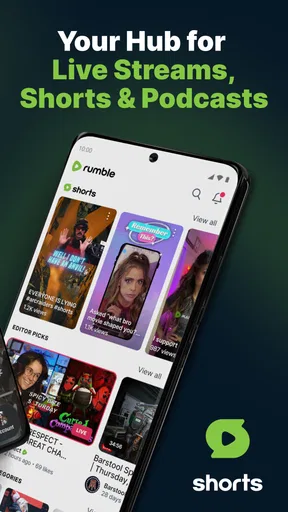
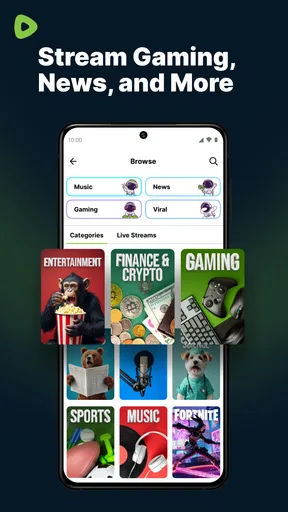
Rumble’s strongest everyday advantage is the combination of formats. A normal video player is usually built around on-demand viewing, while a social video service may emphasize a constantly changing feed. Here, I can move between regular videos, live streams, short-form clips, and chat without changing apps. That is useful when I want to watch casually rather than search for one specific title.
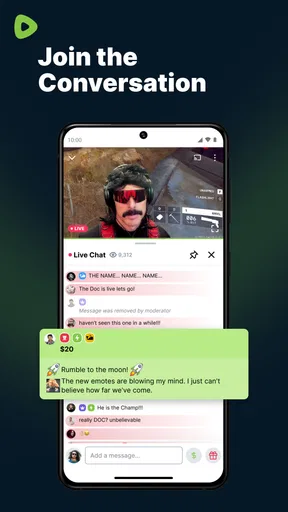
The live element changes the feel of the experience. A live stream is not simply a video waiting for me; it is an event with an active audience and a conversation attached to it. I can understand why that appeals to viewers who enjoy reacting in real time. The trade-off is that live chat can be faster, noisier, and less predictable than comments under a recorded video.
Worth Reading Before You Choose

EA SPORTS FC Mobile 26 Is a Bigger Football Game, but It Takes Time

Flipboard Shows What News Apps Must Do Beyond the Feed

Switching to Android Auto Means Rethinking Your Driving Routine

Google Calendar Makes a Crowded Week Easier to Manage

Ludo King Makes the Most of the Minutes Between Plans

Baby Panda World Brings Quick Play to Modern Phones, but Its Game Library Feels Busy
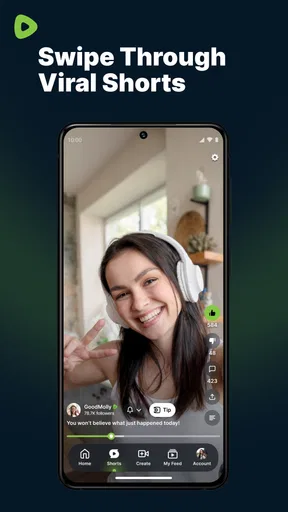
Short videos are convenient for brief breaks, but they also make accidental overuse easy. I would open the app intending to watch one clip and then continue because the next item requires almost no effort to start. That is not unique to Rumble, but it is especially relevant on a shared device where one person may leave the app open for the next user.
Setting boundaries before handing over the device
My first practical tip is to separate personal use from shared use whenever possible. If several people use one signed-in account, recommendations, viewing history, and creator activity can become difficult to interpret. Even without any unusual technical problem, the experience becomes less personal because the app is learning from several people at once.
I would also avoid assuming that a mature audience label makes the app suitable for every person in the home. Rumble is marked Mature 17+, so I would treat that as an important part of the setup conversation rather than a minor store detail. If a teenager or child uses the device, an adult should decide whether independent access is appropriate instead of handing over the phone automatically.
There is another boundary that matters for creators. Watching videos and uploading videos are very different activities. A shared device may contain drafts, recordings, or account information belonging to one person. I would not let casual viewers use the creator’s signed-in session, and I would check which account is active before uploading anything. That small pause can prevent a personal clip from being posted through the wrong profile.
Because the app is free to download but includes in-app purchases ranging from $0.99 to $499.99 per item, I would also discuss purchasing before sharing a device. The broad range makes it sensible to protect the payment side of the device through the platform’s own account settings. I would not rely on everyone knowing which taps lead to a purchase, especially when a tablet is used by people with different levels of experience.
Coordinating viewing without turning it into a chore
Shared use works best when people agree on simple habits rather than trying to supervise every minute. I would suggest closing the app when finished, returning the device to a neutral screen, and saying when an account has been left signed in. Those habits are more useful than pretending that one feed can serve every household member equally well.
For live streams, timing is worth discussing. A person watching a live event may not want another household member to interrupt, change the stream, or begin a different video. If the device is shared, I would reserve the screen for the duration of the stream or use a personal device when the event matters. This is one area where Rumble’s live focus can create more friction than an ordinary on-demand player.
Chat also deserves a separate agreement. I would explain that reading a public conversation is different from joining it, and that a household member should not post from someone else’s account. This is particularly important when the same device is used by a parent and a teenager. The app’s social layer can be enjoyable, but it makes account ownership visible in ways that a basic video app does not.
A useful workflow for creators is to record or select the clip first, review the account identity, and only then begin the upload process. I would check the audience and description carefully before confirming. That sequence sounds obvious, yet it is easy to rush when someone else is waiting to use the device. Rumble’s appeal to uploaders means this is not just a viewing app; it can also be part of a personal publishing routine.
Age, trust, and the kind of content experience to expect
The Mature 17+ rating is the clearest signal that I would not position Rumble as a children’s entertainment app. That does not tell me that every video is unsuitable, but it does tell me to think about the platform as an adult-oriented environment. In a household with younger users, I would choose a service designed around their age group or keep use supervised rather than treating Rumble as a default family catalog.
Trust matters for adults too. Public video platforms can contain a wide range of opinions, presentation styles, and community behavior. I would encourage a new user to judge individual channels and live chats rather than assuming that the entire platform has one consistent tone. The app can be a good place to follow particular creators, but I would be cautious about accepting every recommendation simply because it appears in the feed.
This is where Rumble differs from a traditional streaming service. A paid catalog usually offers a more controlled selection, while a social video platform depends heavily on creators and audience activity. Rumble gives me more variety and participation, but I also have to make more decisions about what deserves attention. Someone who wants predictable, carefully organized viewing may prefer a conventional streaming app.
It also differs from a dedicated video editor. Although its category includes video players and editors and it supports uploading, I would not choose it as my main tool for detailed editing work. My impression is that its value is in sharing and watching within the platform, not replacing a specialized editor for precise cuts, audio work, or a longer production workflow. A creator may use another app to prepare a video and then bring the finished result into Rumble.
Where it works better than familiar alternatives
Compared with a basic player, Rumble is much more social. I can watch live content, participate in chat, explore short videos, and upload material rather than simply opening files stored on the device. That makes it a better fit for people who want an active platform around video instead of a quiet playback utility.
Compared with a traditional subscription streaming service, the main difference is discovery and participation. Rumble is more suitable when I want to browse creator-led material or follow live activity. A conventional service is usually better when I already know what I want to watch and care about a polished, predictable catalog without public interaction.
Compared with a mainstream short-video platform, Rumble’s broader mix is appealing. I am not restricted to very brief clips, because live and longer viewing are also part of the experience. The compromise is that the app may feel less focused if I only want rapid entertainment. Its range is a strength for curious viewers and a weakness for anyone who prefers one tightly defined format.
Compared with a private messaging app, Rumble is the wrong place for sensitive household sharing. Uploading to a public video platform requires a different mindset from sending a clip to a relative. I would use it when the goal is publishing or participating in a wider video community, not when the goal is keeping a family recording within a small trusted group.
Practical details that affect the decision
The app is free, which makes trying it straightforward, but free access does not mean every part of the wider experience is cost-free. The listed in-app purchase range is wide, from $0.99 to $499.99 per item, so I would review the purchase settings on any shared Android or iOS device before regular use. This is especially important when the device is linked to a household payment method.
Rumble has been available since January 13, 2020, and its audience size suggests that a new user is joining an established platform rather than an experimental project. The 55 thousand reviews alongside the broader rating count show that many people have taken the time to comment on their experience. I would read that as evidence of active use, not as a guarantee that the app will behave identically on every phone or suit every viewing habit.
Performance expectations should be realistic. Live video depends on a stable connection, and a busy chat can make the screen feel more demanding than a single recorded clip. If I were troubleshooting a poor experience, I would first compare an on-demand video with a live stream, then check whether the problem is tied to the connection or to the app’s broader browsing experience. That simple comparison helps identify whether live viewing is the real source of frustration.
I would also keep the app updated through the normal Android or iOS store process and avoid leaving a shared session open unnecessarily. Those are ordinary precautions, but they matter more here because Rumble combines viewing, conversation, and uploading. The more activities an app brings together, the more carefully I want to check the active account before interacting.
Who should use it, and who should skip it?
I would recommend Rumble to an adult viewer who wants several kinds of video in one app and enjoys the social side of live streams. It is also worth considering for creators who want a place to upload and engage with viewers rather than only store finished videos privately. The free entry point makes experimentation easy, and the combination of formats gives the app a broader purpose than a simple media player.
I would be more cautious about recommending it as a shared children’s app because of the Mature 17+ rating. I would also steer away from it for someone who wants a carefully controlled family catalog, a completely private video exchange, or a professional editing suite. In each of those cases, a different type of service is better suited to the actual need.
It may also disappoint viewers who dislike public conversation or algorithmic browsing. If I want to play a known file, watch a selected film, or avoid the temptation of continuous short clips, a conventional player or subscription service would give me a calmer experience. Rumble is most valuable when discovery and participation are part of the reason I opened the app.
My household verdict
After using it as both a personal video app and a possible shared-device app, I see Rumble as a capable, broad video platform with a clear adult-oriented context. Its mix of live streams, chat, short videos, regular viewing, and uploads gives it real variety. I especially like the way it supports a shift from watching to participating without requiring a separate service.
My recommendation comes with boundaries. I would keep accounts distinct, check the active profile before chatting or uploading, discuss purchases on shared devices, and treat the Mature 17+ label seriously. Those steps are not signs that the app is unusable; they are the practical cost of putting a social publishing platform in a household environment.
Rumble is a good choice when the household understands that it is an adult social video platform, not a neutral family player. Used that way, it can be an enjoyable place to follow creators, catch live activity, and share videos. If the priority is child-friendly viewing, private family clips, or precise editing, I would choose a more specialized alternative instead.
Pros
- Supports live streaming and on-demand video viewing in one app.
- Offers channels covering news
- commentary
- entertainment
- and niche interests.
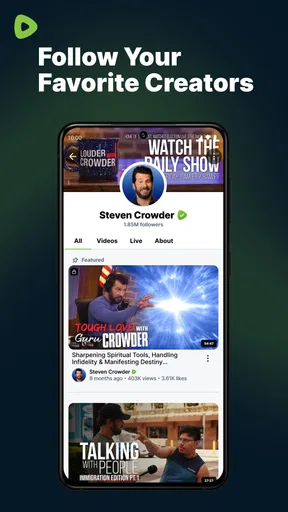
- Users can follow creators and receive updates on new uploads.
- Video pages include sharing options for sending content to other apps.
- Available on mobile devices with a straightforward browsing experience.
Cons
- Content quality and accuracy can vary widely between different creators.
- The recommendation feed may repeatedly surface similar political content.
- Some videos contain frequent ads or promotional interruptions.
- Live streams can be unstable when the connection or server load is poor.
- Certain features and content may differ between Android and iOS versions.
FAQs for Rumble: Stream & Watch Videos
What is Rumble: Stream & Watch Videos?
Rumble is a video-streaming and content-sharing platform where users can watch clips, livestreams, news, commentary, podcasts, entertainment, and other creator-produced videos. The app also lets eligible users upload and manage their own content. Its catalog and recommendations can differ from mainstream video services, so new users may find a mix of familiar topics, independent creators, and opinion-based programming.
Is Rumble free to download and use?
Yes, Rumble can generally be downloaded and used without paying an upfront fee. Many videos are available at no cost, although the service may include advertising, creator monetization features, or optional paid content and subscriptions depending on the account, region, and current platform policies. An internet connection is required, and mobile-data usage may be significant when streaming over cellular networks.
Do I need an account to watch videos on Rumble?
You can usually browse and watch a selection of Rumble videos without immediately creating an account, which is convenient for trying the app first. However, signing in may be necessary for features such as following creators, saving videos, commenting, interacting with livestreams, receiving personalized recommendations, or uploading content. Account availability and specific requirements may vary by device and app version.
What kind of content is available on Rumble?
Rumble offers a broad range of videos, including livestreams, interviews, news, political commentary, podcasts, comedy, sports-related material, technology, lifestyle programming, and user-generated entertainment. Because much of the catalog is creator-driven, quality, tone, and reliability can vary considerably. Viewers should evaluate sources carefully, check dates and context, and use the app’s reporting or moderation tools when content appears inappropriate or misleading.
Does Rumble work well on Android and iPhone?
The Rumble mobile app is designed for both Android and iPhone, providing video playback, browsing, creator discovery, account access, and, where supported, livestream viewing. Performance depends on your device, operating-system version, connection quality, and the video resolution selected. If playback stutters, reducing video quality, updating the app, restarting it, or switching between Wi-Fi and mobile data may help.


